JALT2021 How to get a ticket and join the conference
In some special cases (plenary, featured, and invited speakers and other sponsored guests) JALT will send you a coupon code, please click here to redeem it.
All other conference attendees, please follow these steps:
All other conference attendees, please follow these steps:
You need a ticket to join the conference
This is a two-part process:
- Make payment on the JALT site
- Enter your ticket access code here on edzil.la.
1. Make your payment
First, complete your conference payment on the JALT website.
- When you pay, you will receive a ticket access code.
- The ticket access code is 6 letters long all in lower-case letters.
- You can see the code in the order page when you make payment on the JALT website:
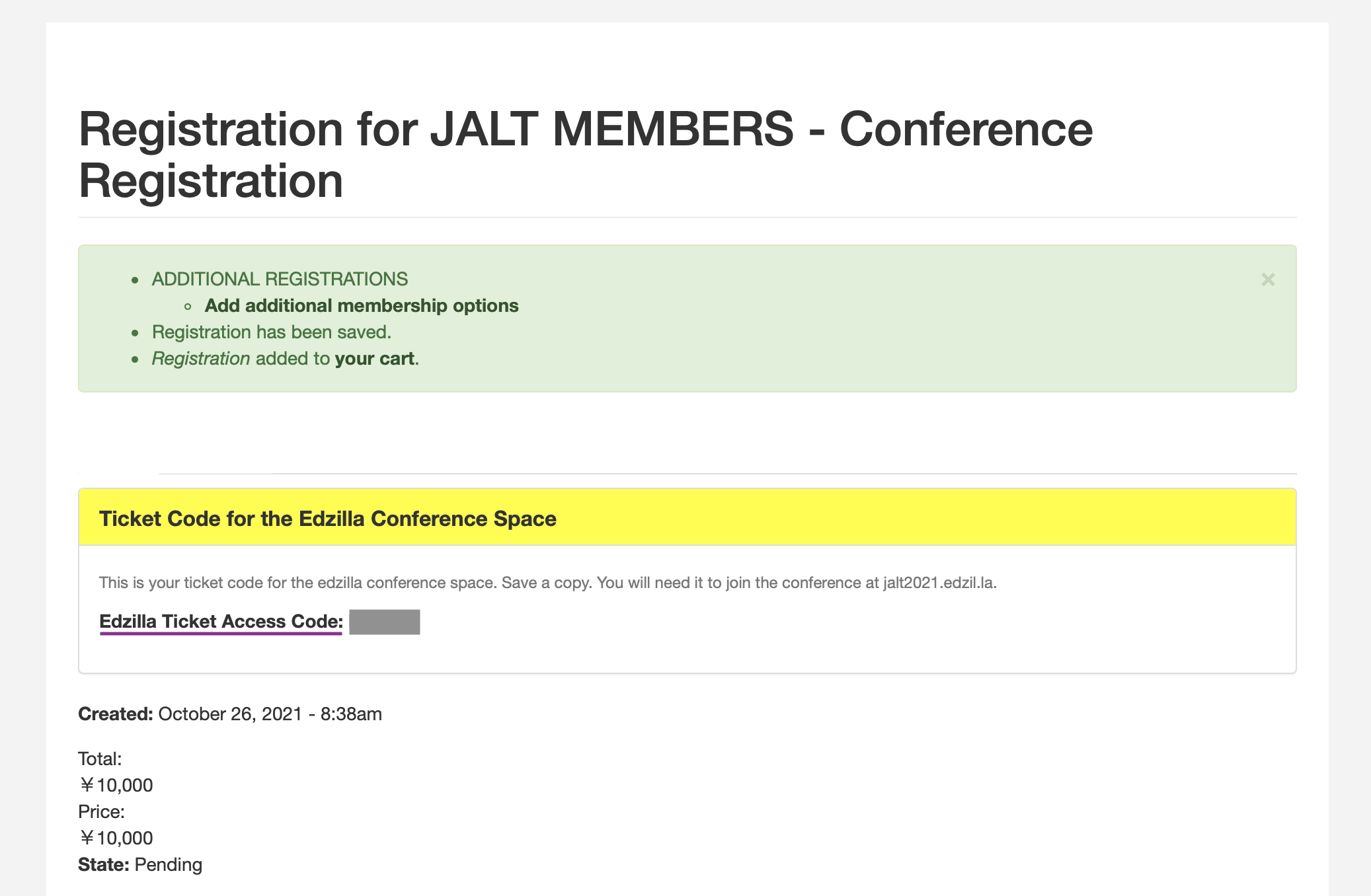 Edzilla Ticket Access Code when you make payment in JALT.org
- The code is also included in the order confirmation email message you receive from JALT. Look for a message titled Conference Registration Complete for (NAME). Note: this message will be sent on completion of your order, so if you have made a Post Office transfer order, or if your student status needs to be confirmed, the message may take a few days.
- Or you can check the details of your code online when you are logged in to the JALT website (https://jalt.org) with the account you used to make payment for the conference.
2. Get your ticket
Once you have the ticket access code, you can join JALT2021 here on the edzil.la conference website.
- You need to join JALT2021. If you have joined a conference on edzil.la before, you can use the same account. Just Join JALT2021. If this is your first conference on edzil.la, you need to make an account first. When you make an account, edzil.la will send a confirmation email. You may need to check your spam to find this email and create your account.
- When you have logged in, click the "Ticket" button:
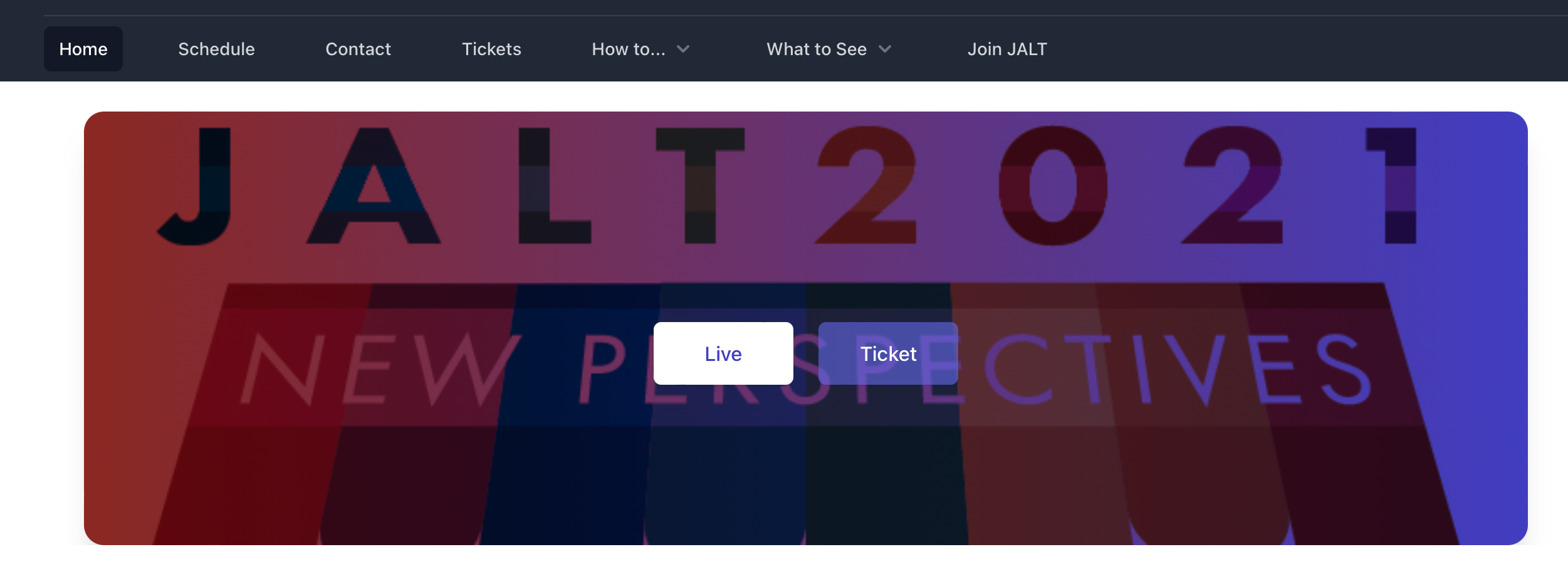 Ticket Button
- Click "Get a ticket" on the next screen.
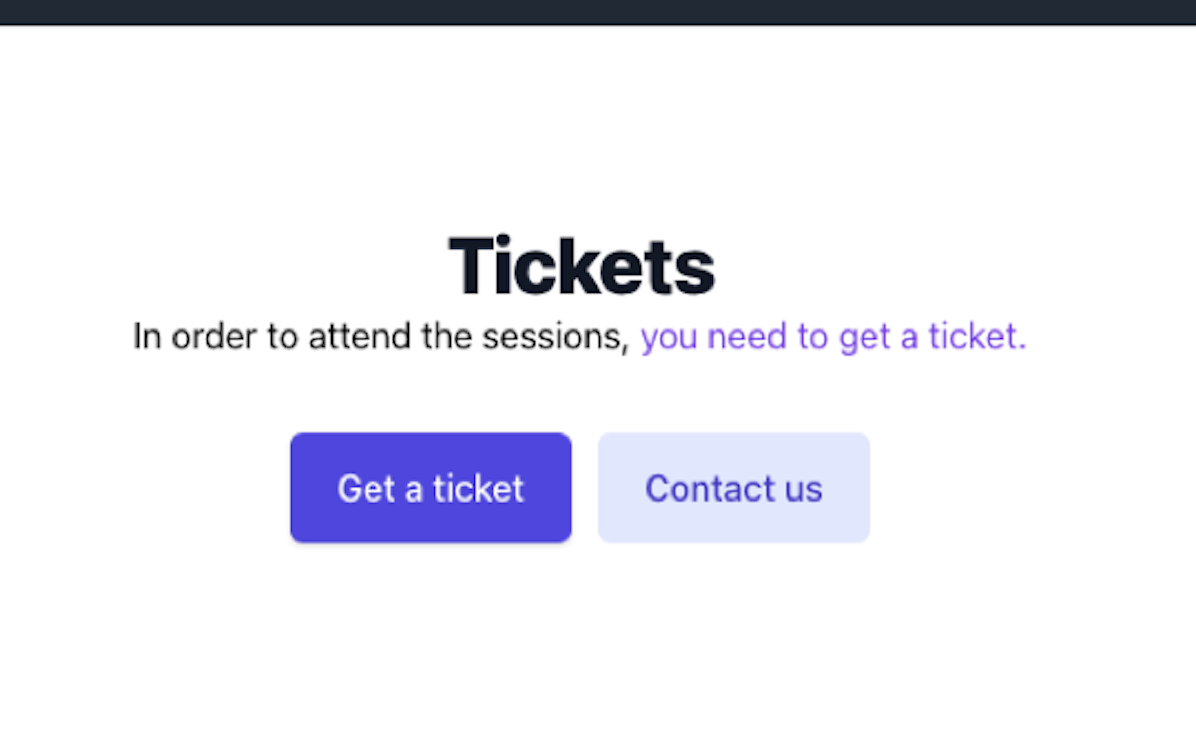 Get a ticket
- There are various tickets with prices on the next screen. Choose the ticket you purchased. Be sure to choose the ticket that matches the amount you paid. (Note: you do not need to pay anything here. The price listing is just to help confirm your ticket is correct)
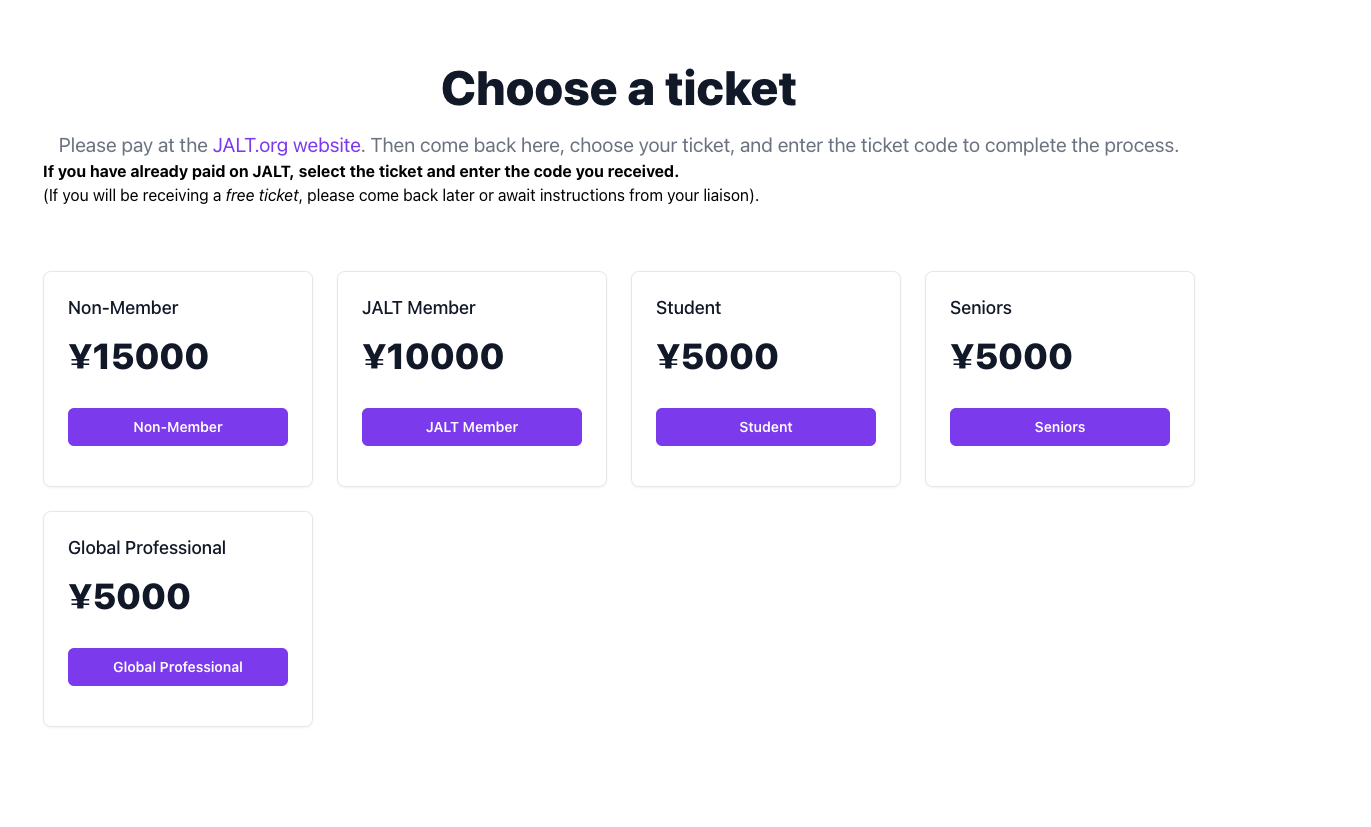 Ticket Page
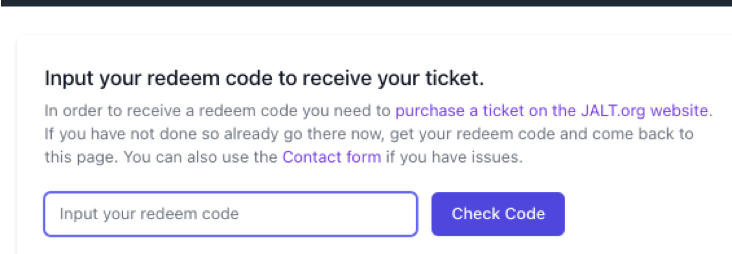
- On the next page, there is a box that says, Input your redeem code. In this box, enter the 6-character ticket access code you received when you made your conference payment.
- After entering the code, click "Check Code".
 e4.png 65.2 KB
You can now take part in JALT2021.
If there are any problems with your code or the process, contact the JALT office. If you receive an error message please tell us the error when you contact us.
Thank you for your patience. We hope you enjoy the JALT2021 conference!